

|
Be the first user to complete this post
|
Add to List |
VBA-Excel: Create or Add Worksheets at the Run time.
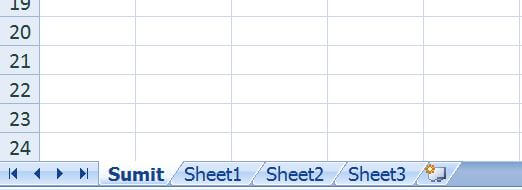
Objective: This article will teach you "how to add worksheets in excel workbook at the run time".
Important Command:
Workbook. Worksheets.Add().Name = "NameYourSheet"
Complete Code:
Sub Sumit()

Dim mainWorkBook As Workbook

Set mainWorkBook = ActiveWorkbook

mainWorkBook.Worksheets.Add().Name = "Sumit"

End Sub
Output:
Also Read:
- Create worksheets with Names in Specific Format/Pattern.
- Add Worksheets For All The Given Dates Except Weekends and Copy The Common Template In Each Worksheet
- Get the names of all WorkSheets in a Excel (WorkBook)
Also Read:
- VBA-Excel: Modified Consolidator – Merge or Combine Multiple Excel Files Into One Where Columns Are Not In Order
- VBA Excel - Cells, Ranges and Offset: Refer Range by using A1 Notations
- VBA-Excel: Modified Consolidator – Merge or Combine Multiple Excel Files Into One Where Columns Are Not In Order
- VBA-Excel: SUDOKU Solver
- VBA Excel – Looping Through a Range of Cells